
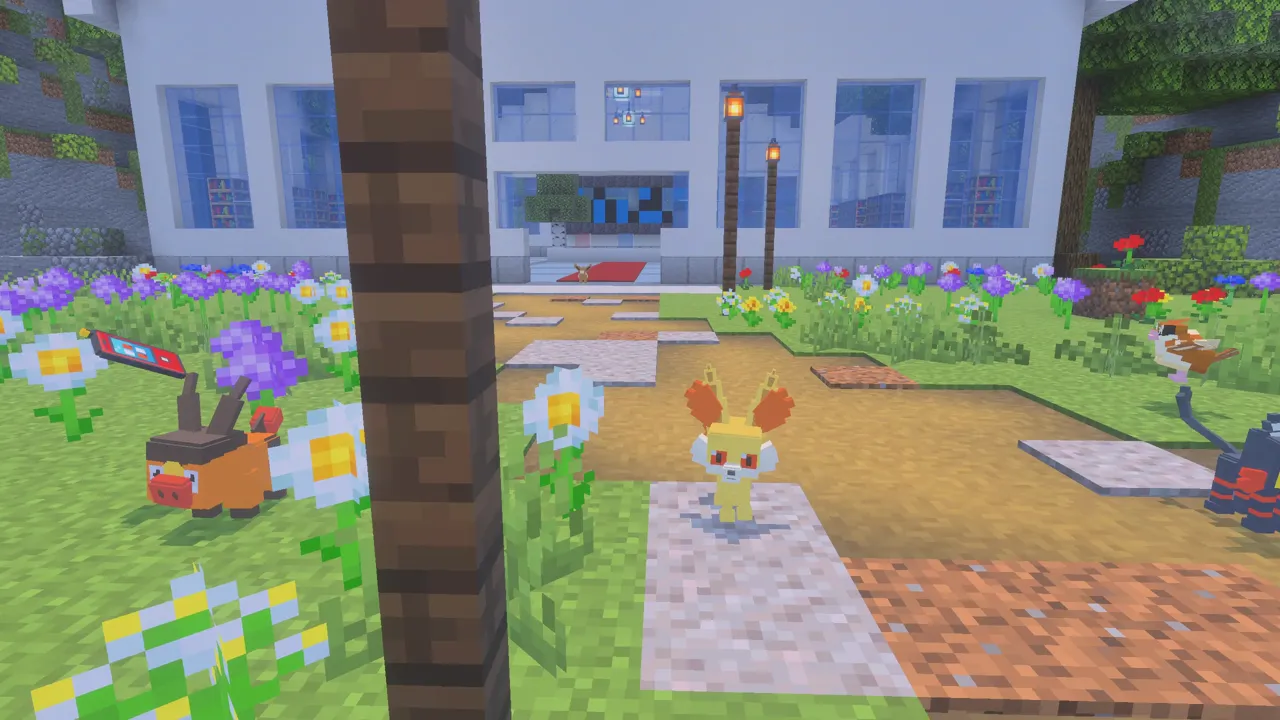
Want Pokémon in your own Minecraft world? The PocketMobs add-on is free and runs the same battle engine as our server, so battles play out the way they do in the games. Here's what's inside, how to install it, and when the server is the better choice.
What's in the add-on
- 551 Pokémon: all of Gen 1, every starter, every legendary, and their evolutions.
- Real turn-based battles, catching with Poké Balls, a party, a PC and a Pokédex.
- Pokémon Centers and PokéMarts in the wild, Kanto's eight gym leaders, raid stones, legendary altars and Team Rocket strongholds.
- Works in single player, with friends and on Realms.
Which file do I need?
- Phone edition (27 MB): no music, simpler effects, fewer wild Pokémon at once. Smooth on phones and tablets.
- Full edition (36 MB): music, full move effects and legendary openings. For Windows and strong devices.
How to install it
- Download the file for your device from the downloads page.
- Open it. Minecraft starts and imports it.
- Create a world and turn on PocketMobs under Behavior Packs. Accept the world settings it asks for.
- Join the world. You get a Poké Phone and choose your starter.
On Xbox, PlayStation or Switch? Consoles can't import add-on files. Join the server instead: it has all of this and more, and it's free.
Add-on or server?
The add-on is great for playing alone or with a couple of friends. The server has much more: 700+ wild Pokémon, other players, trading, raids with friends, legendary events for the whole server, the Safari Zone, the Battle Factory and the Battle Tower, Champion Cynthia and new updates all the time. Your first add-on world even gives you a secret server code.
FAQ
Is the PocketMobs add-on free?
Yes. Download it from the downloads page on pocketmobs.com.
Does the add-on work on Xbox or PlayStation?
No. Consoles can't import add-on files. Join the PocketMobs server from the Friends tab instead.
Does it work on Realms?
Yes. Apply it to your Realm's world, or upload a world that has it turned on.
Play PocketMobs free
play.pocketmobs.com · Port 19132 · Consoles: add the friend Pocketmobs
More guides
- The best Pokémon mod for Minecraft Bedrock in 2026
- How to get Pixelmon on Minecraft Bedrock
- How to play Pixelmon-style Pokémon on Xbox
- How to play Pixelmon-style Pokémon on PlayStation
- How to play Pixelmon-style Pokémon on Nintendo Switch
- How to play Pixelmon-style Pokémon on mobile
- PocketMobs wiki: spawns and items