
Pixelmon only runs on Minecraft: Java Edition for computers. Minecraft on PS4 and PS5 is Bedrock Edition, which can't load Java mods. But you can play a Pokémon game on PlayStation today by joining a Bedrock Pokémon server through your Friends list.
Before you start
- You need a free Microsoft account signed in to Minecraft. Minecraft asks for it the first time you open multiplayer.
- PlayStation Plus may be needed for online play. Minecraft tells you if it is.
How to join on PlayStation
- Make sure you're signed in to a Microsoft (Xbox) account in Minecraft.
- Add the friend Pocketmobs: in Minecraft, go to Play → Friends → Add Friend and search Pocketmobs.
- Go back to Play → Friends.
- Under Joinable Friends, choose PocketMobs and join.
No DNS changes, no second device, no Realms.
What's on the server
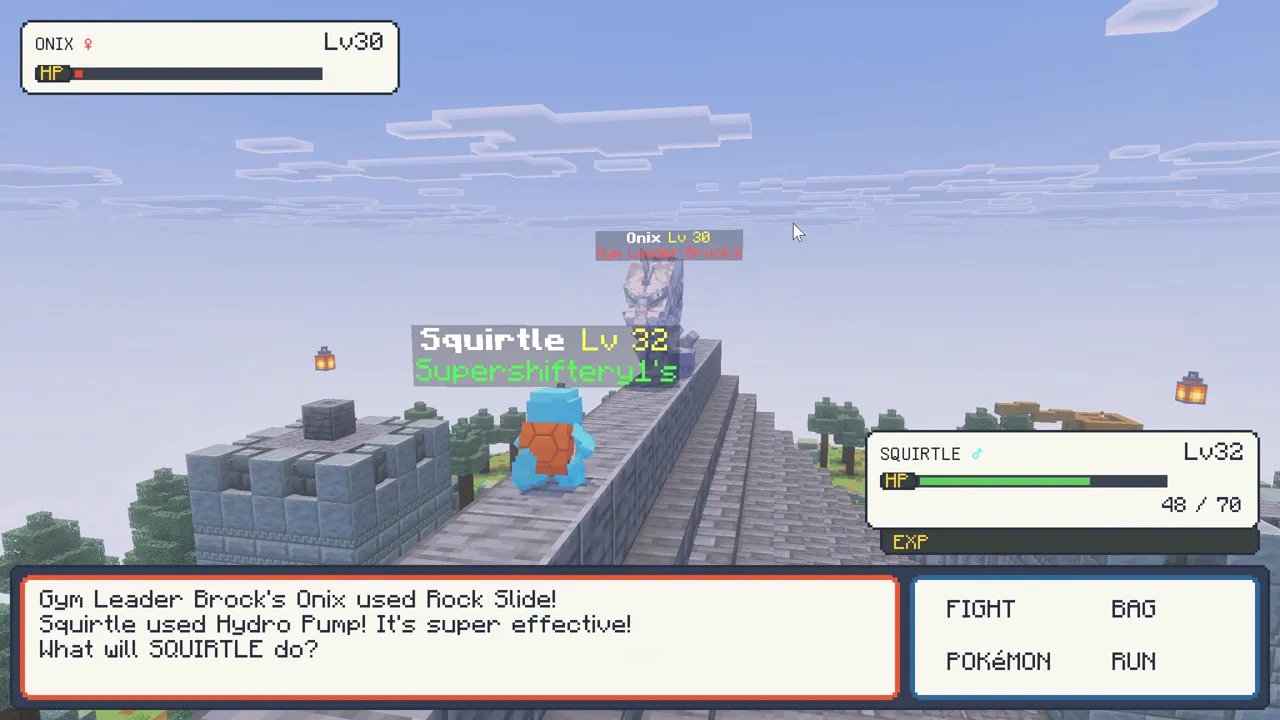
- Real Pokémon battles: turn-based, with real moves, types, abilities, status effects and catch rates.
- 700+ wild Pokémon that spawn by biome, time of day and weather. See the spawn list.
- Legendaries that land near players every hour or so, with their own battle openings. See legendaries.
- Raids, gyms, trainers, Champion Cynthia, the Safari Zone, the Battle Factory and the Battle Tower.
- Every starter from Gen 1 to Gen 9, Mega Evolution, shinies, eggs and trading.
FAQ
Can you get Pixelmon on PS4?
No. Pixelmon is a Java Edition mod. On PS4 and PS5 you can play the PocketMobs Pokémon server instead.
How do I add a server on PS4 Minecraft?
PlayStation has no Add Server button. Add the friend Pocketmobs and join from the Friends tab.
Is it free?
Yes, PocketMobs is free to play. Online play may need PlayStation Plus.
Play PocketMobs free
play.pocketmobs.com · Port 19132 · Consoles: add the friend Pocketmobs
More guides
- The best Pokémon mod for Minecraft Bedrock in 2026
- Pokémon add-on for Minecraft Bedrock Edition
- How to get Pixelmon on Minecraft Bedrock
- How to play Pixelmon-style Pokémon on Xbox
- How to play Pixelmon-style Pokémon on Nintendo Switch
- How to play Pixelmon-style Pokémon on mobile
- PocketMobs wiki: spawns and items